Shade report
TOF, solar access, TSRF, and the per-module heat map.
Reviewed
What this is for
Three numbers per field segment, and they answer different questions. Solar access is how much the horizon, the rows and the obstructions cost - sometimes fixable. TOF (tilt and orientation factor) is how much the roof's own orientation cost - almost never fixable, and worth separating so nobody spends money on the wrong one. TSRF is their product: the fraction of the site's best possible resource this segment actually collects.
The report is written with the run. A simulation still in flight has none. Until then the page says this simulation has no shade report to show yet.
Steps
- From a finished result, open Shade report. Across the array is annual shading loss of plane-of-array irradiance, how many modules were assessed, and how many sit below the solar-access threshold.
- By field segment: solar access, TOF, TSRF, collected irradiation. The whole-design row (when there is more than one segment) uses the run's own design-wide solar access, so this table and the waterfall's shading step cannot disagree. The other two ratios are weighted by what each segment actually collects, so four modules do not count as four hundred.
- Monthly solar access is twelve months per segment. A month at full access recedes; the dips are what the eye finds.
- Per-module heat map is the module grid at its canvas address. A cell here is the module at the same address on the designer. The result page carries a smaller copy of the same map.
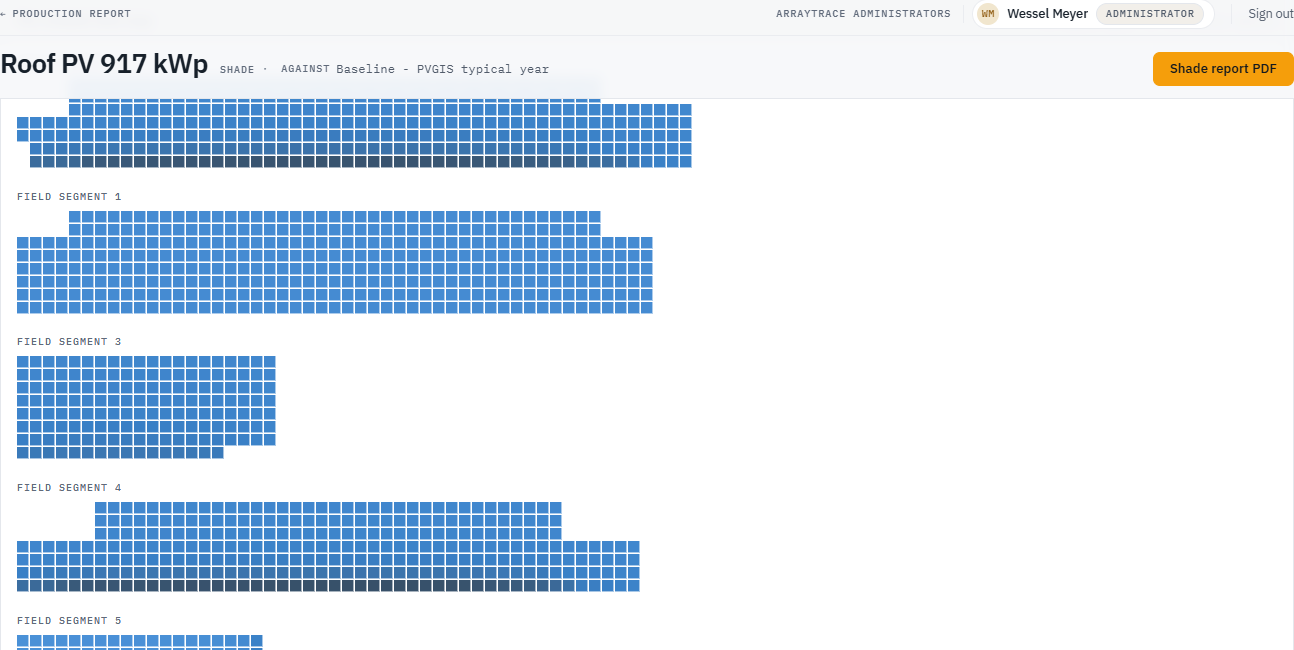
- Worst modules lists those below the threshold. The slider narrows the list; it does not re-run anything. Shade report PDF is the same figures for paper.
Tips and common mistakes
- Do not treat a low TSRF as a tree problem. Split it: solar access vs TOF. One is a keepout or a row pitch; the other is the roof.
- A horizon is not a keepout. The far skyline lives on the condition set; nearby objects live on the design. Both reduce solar access and they are not interchangeable.
- Removing the worst modules changes mismatch as well as shade. Look at both steps after you edit.